Unlocking Texture: A Practical Guide to 30 Crumpled Paper PS Stamp Brushes Vol.3
Digital design often suffers from a specific kind of sterility. When every line is perfectly vector-sharp and every gradient is mathematically smooth, the final image can feel cold and detached from reality. This is where texture becomes not just an option, but a necessity for creating work that resonates. The 30 Crumpled Paper PS Stamp Brushes Vol.3 offers a targeted solution to this problem, providing a collection of high-resolution assets designed to inject organic imperfection into your digital workflow. Whether you are a seasoned graphic designer, a hobbyist photographer, or a small business owner creating marketing materials, understanding how to properly integrate these tools can dramatically elevate the quality of your output.
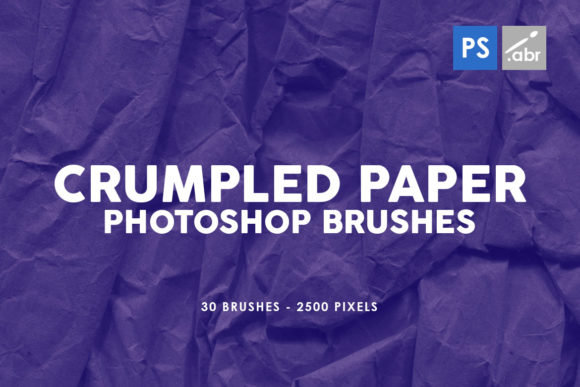
These brushes are specifically engineered for compatibility across a wide range of Adobe Photoshop versions, from the older CS2 up through the current Creative Cloud (CC) releases. Inside the pack, you will find 30 distinct brushes, each rendered at a substantial 2500 pixels in size. This resolution is critical; it ensures that when you apply a crumpled paper effect to a large format print or a high-definition screen, the texture retains its detail rather than dissolving into a blurry mess. However, possessing high-quality tools is only half the battle. Many creators stumble not because the tools are lacking, but because they misunderstand how to deploy them effectively within a complex project.
Common Pitfalls When Integrating Textured Brushes
One of the most frequent mistakes designers make when downloading and using sets like VOLUME 3 CRUMPLED PAPER PHOTOSHOP STAMP BRUSHES is treating them as a one-click fix for boring compositions. It is tempting to simply create a new layer, select a brush, and stamp away until the canvas looks "grungy." The result is often a cluttered, muddy image where the texture fights against the subject rather than supporting it. This approach ignores the fundamental principle of subtlety. Texture should act as a unifying element, a subtle noise that ties disparate components together, not a heavy blanket that obscures your hard work.
Another significant oversight involves ignoring blending modes. Beginners often leave the brush layer set to "Normal" with 100% opacity. In this state, the white or gray values of the crumpled paper simply cover the underlying image, destroying contrast and color fidelity. To use these brushes correctly, you must experiment with blending modes such as Multiply, Overlay, Soft Light, or Screen. For instance, if the brush stamp has a white background with dark crease details, setting the layer to Multiply will knock out the white and leave only the shadows of the crumples, creating a realistic impression of paper sitting on top of your design without blocking the view.
Furthermore, there is a misconception regarding scale. Because these brushes are 2500 pixels, they are large. A common error is using them at full size on small web graphics or social media icons, which results in a texture that looks disconnected and overly dominant. Conversely, stretching a low-resolution texture to fit a billboard leads to pixelation. Before applying the brush, consider the final output medium. If you are working on a web banner, you may need to scale the brush tip down significantly within the brush settings panel to ensure the crumple pattern feels proportional to the other elements in your layout.
Maximizing Efficiency and Quality in Your Workflow
To avoid the trap of inefficient editing, it is crucial to organize your layers before you begin stamping. Do not apply textures directly to your image layer or merge them prematurely. Instead, create a dedicated group named "Textures" and place your stamped layers inside. This non-destructive approach allows you to toggle visibility, adjust opacity globally, or add a mask to the entire group if the effect becomes too strong in specific areas. If you realize later that the crumpled paper look distracts from the main call-to-action in a marketing flyer, you can simply lower the opacity of the group or mask out the center, saving you from having to undo hours of work.
Color management is another area where users often miss the mark. While the 30 Crumpled Paper PS Stamp Brushes Vol.3 provides grayscale data, real-world paper is rarely pure black and white. It might have a warm, aged tone or a cool, recycled feel. Relying solely on the default black stamps can make a project look dated in a negative way. A better approach is to add a Solid Color adjustment layer above your texture group, clip it to the textures, and choose a hue that matches your brand palette. Then, set that adjustment layer to a blending mode like Overlay or Color. This tints the crumples to match your design language, making the texture feel intentional and bespoke rather than like a generic stock overlay.
It is also vital to check the licensing and usage rights before incorporating these assets into commercial projects. While this specific volume is marketed for broad use including game artwork and digital manipulation, always verify the specific terms provided by the creator. Some licenses may require attribution, while others might restrict use in certain types of merchandise. Ensuring you are compliant protects your business from legal headaches down the line and respects the effort of the brush creator.
Practical Applications Beyond Basic Overlays
The versatility of these 30 brushes extends far beyond simple photo overlays. For game developers creating 2D assets or UI elements, these crumpled textures can simulate worn maps, ancient scrolls, or distressed packaging labels, adding depth to the game world without requiring complex 3D modeling. Educators creating engaging presentation slides can use them to give handouts a tactile, printed feel that captures student attention more effectively than sterile digital text.
For photographers engaged in digital manipulation, these brushes serve as excellent tools for creating seamless composites. When combining photos taken in different lighting conditions, adding a uniform layer of paper texture across the entire composite can help blend the exposures and color grades, making the final image look like a single printed photograph rather than a digital collage. This technique is particularly useful for vintage-style portraits or artistic editorial spreads.
Ultimately, the value of VOLUME 3 CRUMPLED PAPER PHOTOSHOP STAMP BRUSHES FOR PHOTOSHOP CS2 - CC lies in your ability to wield it with intention. By avoiding the pitfalls of overuse, mastering blending modes, respecting scale, and organizing your workflow, you transform a simple set of stamps into a powerful engine for creativity. The goal is not to hide your design behind noise, but to enhance its emotional impact through the warmth of imperfection. Take the time to experiment with the 2500-pixel resolution files, test different opacities, and observe how the interplay of light and shadow in the crumples changes the mood of your piece. With a thoughtful approach, these brushes will become an indispensable part of your creative toolkit.