Unlocking Raw Texture: The Power of 30 Crumpled Plastic PS Stamp Brushes in Digital Design
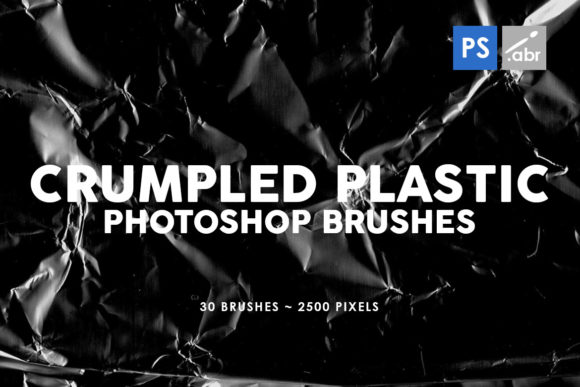
In the ever-evolving landscape of digital art and photo manipulation, the difference between a flat, sterile image and a compelling, tactile masterpiece often comes down to one element: texture. While vector graphics and smooth gradients have their place, there is an undeniable hunger for organic imperfection in modern design. This is where the 30 Crumpled Plastic PS Stamp Brushes collection becomes an indispensable tool for creatives working across Adobe Photoshop CS2 through CC and all subsequent versions. These aren't just simple overlays; they are high-resolution instruments designed to inject realism, grit, and visual interest into any project.
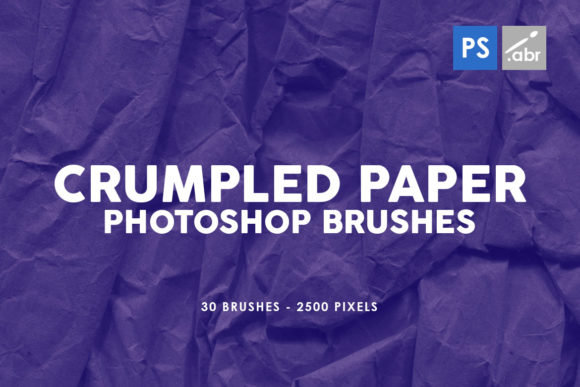
The digital workspace can sometimes feel too clean. Pixels align perfectly, colors blend without resistance, and layers stack with mathematical precision. However, the real world is messy. It is filled with wrinkles, folds, reflections, and the chaotic interplay of light on uneven surfaces. By integrating crumpled plastic texture Photoshop stamp brushes into your workflow, you bridge the gap between the digital canvas and physical reality. This collection offers thirty distinct variations, each captured at a substantial 2500 pixels in size, ensuring that whether you are designing a massive billboard or a detailed social media graphic, the quality remains crisp and professional.
Beyond Simple Overlays: Understanding the Versatility
When designers first encounter a set of texture brushes, the immediate assumption is often that they are solely for background effects. While they excel as photo overlays, limiting their use to the background ignores their true potential. The 30 Crumpled Plastic PS Stamp Brushes are engineered for deep integration into the creative process. Because they function as stamp brushes rather than static image files, they offer a level of control that standard overlay layers cannot match. You can paint the texture exactly where it is needed, adjust the opacity on the fly, and combine multiple brush strokes to create complex, custom surface details.
Consider the workflow of a digital photo manipulator. When compositing a subject into a new environment, the lighting and surface texture often fail to match, breaking the illusion of reality. By subtly applying these crumpled plastic textures over specific areas of a composite, an artist can unify the lighting conditions and add a layer of atmospheric cohesion. The high resolution of 2500 pixels means that even when zoomed in for detailed retouching, the texture retains its definition, avoiding the pixelation that plagues lower-quality assets.
Furthermore, these brushes serve as powerful visual effects tools for game asset creation and concept art. In the gaming industry, creating materials that look worn, used, or packaged is a constant requirement. A weapon wrapped in protective film, a futuristic interface with a distorted screen, or a post-apocalyptic scene littered with debris can all be accelerated using these stamps. Instead of painting every fold and highlight by hand—a time-consuming process that requires advanced shading skills—an artist can stamp the base texture and then refine it. This efficiency allows for rapid prototyping and iteration, which is crucial in fast-paced production environments.
The Technical Advantage of High-Resolution Stamps
The specification of 2500 pixels size is not merely a number; it is a guarantee of longevity and flexibility in your projects. Many free or low-cost brush sets suffer from low resolution, rendering them useless for print media or high-definition displays. When a texture is small, stretching it to fit a large canvas results in a blurry, unprofessional mess. With this specific collection, the source images are large enough to cover significant portions of a standard HD composition without losing detail. This makes them suitable for both web and print applications, from magazine spreads to large-format advertising.
Compatibility is another critical factor. The fact that these 30 Crumpled Plastic PS Stamp Brushes work seamlessly from Photoshop CS2 all the way to the latest CC versions ensures that no designer is left behind. Whether you are running a legacy system on an older machine or utilizing the cloud-based power of the newest Creative Suite, these tools integrate instantly. There is no need for conversion scripts or worry about file corruption. You simply load the set, select your brush, and begin creating. This universal compatibility makes the set a safe investment for studios with mixed software environments or freelancers who upgrade their software at different intervals.
Practical Applications in Modern Workflows
To truly appreciate the value of these brushes, one must look at specific scenarios where they solve common design problems. Let's explore a few practical applications where the crumpled plastic texture transforms a good design into a great one.
- Packaging Mockups: One of the most obvious uses is in product visualization. When creating mockups for packaging designs, a perfectly smooth surface often looks fake. Real plastic wrapping has micro-wrinkles and light refractions. Using these stamp brushes, you can apply realistic distortions to your mockup layers, making the digital proof look like a photograph of a physical product.
- Typography Effects: Text can often feel disconnected from a textured background. By clipping these plastic textures to your text layers and adjusting blending modes (such as Overlay, Soft Light, or Multiply), you can make typography appear as if it is printed on, or trapped within, a plastic surface. This adds depth and character to headlines and logos.
- Distressed Artwork: For artists aiming for a grunge or urban aesthetic, clean lines are the enemy. These brushes provide an instant way to degrade clean vectors or photos, adding a layer of decay or industrial wear that feels authentic rather than algorithmic.
- Light Leaks and Reflections: Crumpled plastic interacts with light in unique ways, creating sharp highlights and deep shadows. You can isolate these highlights to create custom light leak effects or reflection maps that add dynamism to static images.
The variety within the set of thirty brushes is also worth noting. Plastic does not crumple in just one way. Depending on the thickness of the material, the force applied, and the angle of the light, the resulting texture varies wildly. Some brushes in this set likely feature tight, sharp creases, while others showcase broad, rolling folds. Having thirty options allows the designer to choose the specific "mood" of the plastic—whether it is the thin, crackling wrap of a candy bar or the thick, durable sheeting used in construction.
Enhancing Visual Storytelling
At its core, design is about storytelling. Every texture tells a story about the history of an object. A pristine surface suggests something new, untouched, and perhaps sterile. A crumpled, textured surface suggests history, usage, struggle, or protection. When you incorporate 30 Crumpled Plastic PS Stamp Brushes into your artwork, you are adding a narrative layer. You are telling the viewer that this object exists in the real world, subject to the forces of physics and time.
This is particularly relevant in editorial design and album cover art, where mood is paramount. A music genre like industrial, punk, or hip-hop often relies on gritty, raw visuals to convey its energy. Smooth, corporate-style graphics would feel out of place. Here, the chaotic nature of crumpled plastic provides the perfect visual metaphor for disruption and raw energy. Similarly, in horror or thriller genres, the distortion caused by plastic can evoke feelings of suffocation, entrapment, or mystery.
It is also important to consider the technical execution when using these brushes. To get the best results, experimentation with blending modes is essential. While "Normal" mode simply places the texture on top, modes like "Overlay" interact with the underlying pixels to preserve highlights and shadows, creating a more natural integration. Adjusting the flow and opacity of the brush tool allows for a buildup of texture that feels gradual and organic, rather than stamped on heavily in a single click. Layer masks should be used aggressively to restrict the texture to only the areas that require it, ensuring that the effect enhances the composition without overwhelming it.
Making the Right Choice for Your Project
Before adopting any new asset into your library, it is wise to evaluate how it fits your specific needs. The decision to use the 30 Crumpled Plastic PS Stamp Brushes should be driven by a desire for higher fidelity and faster workflows. If you find yourself spending hours trying to manually paint wrinkles or searching for stock photos that don't quite match your lighting, this set is the solution. It consolidates thirty high-quality variations into a single, easy-to-access tool panel.
Moreover, the non-destructive nature of using stamp brushes on separate layers means you can always go back and tweak the effect. Unlike baking a texture directly into an image, using these brushes allows for infinite adjustability. You can change the color of the texture, blur it for a softer look, or sharpen it for more definition long after the initial stroke was made. This flexibility is vital in client-facing work where feedback loops often require significant changes to the visual direction.
In conclusion, the addition of high-resolution texture tools like this collection is a mark of a mature digital artist. It shows an understanding that perfection lies in imperfection. The 30 Crumpled Plastic PS Stamp Brushes offer a robust, versatile, and technically sound method for elevating digital projects. From the initial concept sketches to the final polished render, these brushes provide the tactile quality that engages viewers and brings digital creations to life. Whether you are a seasoned professional looking to speed up your pipeline or a student eager to learn the nuances of texturing, this set provides the foundational elements needed to create stunning, realistic, and emotionally resonant visual art.