Unlocking Digital Luminescence: A Practical Guide to the 30 Procreate Glow Brushes Collection
In the rapidly evolving landscape of digital art, lighting effects often distinguish a competent illustration from a captivating one. The 30 Procreate Glow Brushes collection represents a specialized toolkit designed specifically for the iOS application Procreate. Unlike general-purpose brush sets that attempt to cover every texture under the sun, this pack focuses intensely on luminescence, neon aesthetics, and atmospheric light. For artists ranging from hobbyists exploring their first tablet to professionals delivering client work, understanding the specific utility and limitations of such a targeted resource is essential before integration into a workflow.
This collection is engineered exclusively for the Procreate environment. It is crucial to note immediately that these assets do not function in Adobe Photoshop or other desktop-based raster editors. This platform specificity is a common trade-off in the mobile art ecosystem; while it limits cross-software portability, it allows the brushes to leverage Procreate's unique rendering engine, particularly its blending modes and color dynamics, to achieve genuine glow effects without complex layer stacking.
Defining the Aesthetic: From Cyberpunk to Ethereal
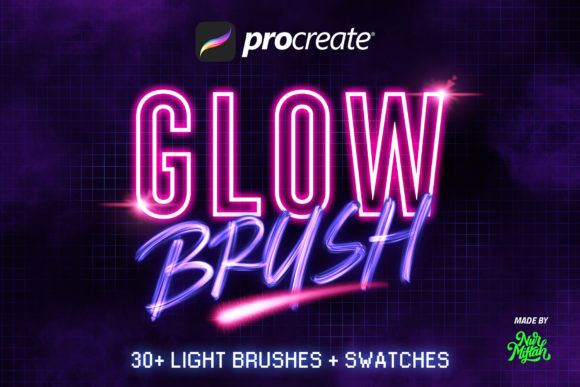
The core value of the 30 Procreate Glow Brushes lies in its diversity within a single thematic lane. A typical "glow" set might offer only a soft airbrush variant, but this collection expands the definition of light. It includes distinct categories such as Neon Brushes for sharp, electric outlines, and Cyberpunk Brushes tailored for high-contrast, futuristic cityscapes. For artists interested in retro-futurism, the inclusion of Pixels Brush and Glitch Brush provides immediate access to distorted, digital artifacts that mimic screen malfunctions or 8-bit aesthetics.
Beyond the technological and urban themes, the set ventures into organic and abstract territories. The Thorn Brush and Parasite Brush offer jagged, bioluminescent textures suitable for fantasy creature design or dark surrealism. Conversely, the Cloud Brush, Crystal Brush, and Flow Brush facilitate softer, more diffused lighting ideal for dreamscapes or magical realism. This breadth ensures that the user is not confined to a single genre; whether the goal is lettering with a 3D Neon effect or adding subtle Bokeh to a portrait, the tools adapt to the intent rather than forcing the art into a rigid style.
Evaluating Compatibility and Version Requirements
One of the most practical advantages of this specific bundle is its backward compatibility. Many modern digital assets require the latest software updates to function correctly, often alienating users with older devices or those who prefer stability over new features. The 30 Procreate Glow Brushes are confirmed to operate seamlessly on Procreate 5 as well as earlier versions. This flexibility is a significant decision factor for artists working on older iPad models that cannot support the latest operating system updates. It ensures that the investment remains viable regardless of the user's hardware lifecycle.
However, the restriction to iOS remains a hard boundary. Professionals who utilize a hybrid workflow—sketching on an iPad and finishing in Photoshop on a desktop—will find these brushes siloed to the mobile stage. While one can export the final image as a PNG or PSD, the editable brush strokes themselves cannot be transferred. This limitation necessitates a strategic approach: using these brushes for the initial conceptualization and lighting passes on the go, or committing to a fully mobile pipeline for specific projects.
Comparative Analysis: Specialized Packs vs. General Libraries
When evaluating whether to acquire a dedicated set like the 30 Procreate Glow Brushes, artists often weigh it against massive, all-in-one brush libraries containing thousands of tools. The primary distinction here is curation versus volume. Large libraries often suffer from "choice paralysis," where the sheer number of options slows down the creative process. In contrast, a focused set of 30 brushes streamlines decision-making. Each tool in this collection has a defined purpose, from the Grid Brush for technical backgrounds to the Flares Brush for lens distortion effects.
Furthermore, generic glow brushes found in standard installations often lack the complexity required for professional-grade lighting. They may produce a flat opacity increase rather than a true additive light effect. The brushes in this collection are pre-configured with specific blending behaviors and shape dynamics that simulate how light interacts with different surfaces. For instance, the Glitters Brush and Blinks Brush are not merely static stamps; they are designed to create varying particle densities that feel organic rather than repetitive. This level of refinement saves the artist hours of manual adjustment that would otherwise be spent tweaking jitter, spacing, and opacity pressure curves.
Practical Applications Across Disciplines
The versatility of these brushes extends beyond pure illustration. In the realm of digital lettering, the 3D Neon Brush allows for the creation of signage that appears to emit actual light, a popular style in branding and social media graphics. For photo editing within Procreate, the Background Brush and Cosmic Brush can be used to composite elements into new environments, adding atmospheric depth to photographs that originally lacked it. The Color Palettes included in the download further accelerate this process by providing pre-harmonized swatches that ensure the glow colors remain vibrant and do not turn muddy when layered.
Beginners will find the "easy to use" nature of these tools particularly beneficial. Because the complex physics of light simulation are baked into the brush engine, a novice can achieve professional-looking results with simple strokes. There is no need to master advanced layer masking or color dodge techniques immediately. However, professionals should not mistake ease of use for a lack of depth. The brushes respond to tilt and pressure, allowing for nuanced control over the intensity and spread of the light, making them viable for high-end commercial work where subtlety is key.
Decision Factors: Is This Set Right for Your Workflow?
Deciding to integrate the 30 Procreate Glow Brushes depends largely on your current artistic needs and device ecosystem. If your primary focus is on realistic oil painting, charcoal sketching, or watercolor simulation, this set may serve only as a niche accent tool rather than a daily driver. The specific aesthetic of neon, glitch, and cosmic light is highly stylized. Therefore, artists whose portfolios lean heavily towards naturalism might find limited daily utility compared to a texture-focused pack.
Conversely, if your work involves concept art for games, sci-fi illustrations, motion graphics storyboarding, or vibrant social media content, this collection addresses a frequent pain point: creating convincing light sources quickly. The inclusion of varied types like the Thorn, Parasite, and Crystal brushes suggests a strong fit for fantasy and sci-fi genres where non-standard light sources are common. The trade-off of platform exclusivity is mitigated by the time saved in achieving effects that are notoriously difficult to replicate manually.
It is also worth considering the aspect of asset management. With only 30 brushes plus palettes, the set is lightweight and easy to organize within the Procreate interface. It does not clutter the library, allowing for quick access during live drawing sessions. For those who value a clean, efficient workspace over an exhaustive archive, this curated approach is often superior.
Final Considerations for the Digital Artist
In summary, the 30 Procreate Glow Brushes collection offers a robust solution for artists seeking to enhance their work with dynamic lighting effects without the steep learning curve of manual rendering. Its strengths lie in its specialized variety, ranging from the harsh edges of cyberpunk glitches to the soft diffusion of cosmic clouds, and its accessibility across multiple Procreate versions. While the inability to use these tools outside the iOS ecosystem is a constraint, the quality of the glow simulation within the app justifies the specialization for mobile-first creators.
Ultimately, the choice comes down to stylistic alignment. If your creative vision frequently requires elements that shine, flicker, or radiate energy, this toolkit provides a reliable and efficient means to execute those ideas. As with any digital resource, the best way to evaluate its fit is to consider how often you currently struggle to create these effects manually. If the answer is "often," then a dedicated set like this transitions from a luxury to a practical necessity. For those ready to experiment, the included color palettes and diverse brush types offer an immediate starting point to explore the full potential of digital luminescence.