Enhancing Digital Artwork with 30 Tea Texture Photoshop Stamp Brushes
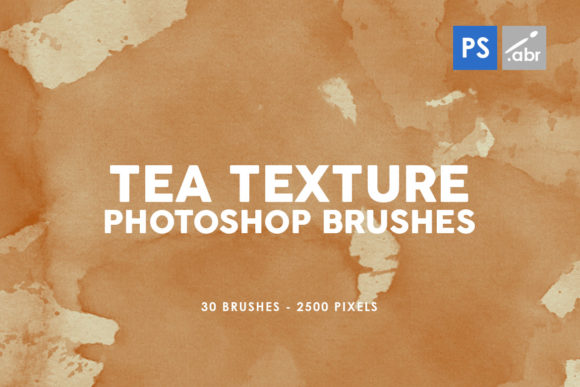
In the evolving landscape of digital design, the pursuit of authenticity often leads creators away from sterile, pixel-perfect vectors and toward organic, imperfect textures. Among the most versatile tools for achieving this aesthetic are specialized brush sets designed to simulate natural materials. Specifically, the collection known as 30 Tea Texture Photoshop Stamp Brushes offers a unique pathway for artists to infuse warmth, age, and character into their projects. These tools, compatible with versions ranging from Photoshop CS2 to the latest CC releases, provide high-resolution assets that bridge the gap between traditional media and modern digital manipulation.
The Aesthetic Power of Stained Paper
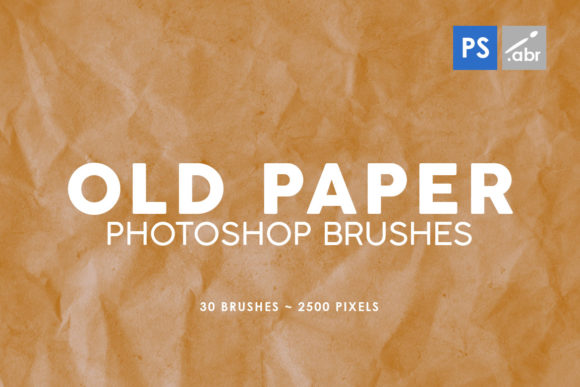
The visual language of tea-stained paper carries immediate connotations of history, nostalgia, and craftsmanship. Before the digital age, artists would physically brew tea and apply it to paper to create an antique look for maps, letters, and illustrations. Today, the 30 Tea Texture Photoshop Stamp Brushes replicate this process with remarkable fidelity. Each brush in the set is derived from high-resolution images, boasting a size of 2500 pixels. This resolution ensures that when stamped onto a canvas, the texture retains its intricate details, including the subtle variations in color density, the fibrous grain of the paper, and the irregular edges typical of liquid drying on a porous surface.
Unlike simple overlay filters that apply a uniform tint across an entire image, stamp brushes allow for precise placement and control. A designer can choose to age only the corners of a document, create a water-damaged effect in the center of a portrait, or build up layers of staining to simulate centuries of wear. This level of granularity is essential for professionals who need to maintain the integrity of specific elements within a composition while altering the overall mood.
Technical Specifications and Compatibility
One of the defining characteristics of this specific brush pack is its broad compatibility. Digital artists often work in diverse environments, some utilizing legacy systems for specific workflows while others operate on the cutting edge of software development. These brushes are engineered to function seamlessly across Photoshop CS2 through CC All versions. This universality means that a studio maintaining older hardware can collaborate effectively with freelancers using the newest subscriptions without file corruption or feature loss.
The inclusion of 30 distinct brushes within the pack provides a significant variety of staining patterns. No two cups of tea stain paper in exactly the same way; factors such as the strength of the brew, the type of paper, and the method of application create infinite variations. This set captures that diversity. Some stamps may mimic the heavy, dark pooling of strong black tea, while others resemble the faint, golden wash of green tea or the splattered effects of an accidental spill. Having thirty options allows the user to avoid repetitive patterns, ensuring that large-scale projects remain visually dynamic and unpredictable.
Practical Applications in Professional Workflows
The utility of these textures extends far beyond simple background creation. For graphic designers, illustrators, and photo manipulators, the 30 Tea Texture Photoshop Stamp Brushes serve as foundational elements in complex composites. Below are several key areas where these tools demonstrate exceptional value.
- Digital Photo Manipulation: In the realm of photobashing and surreal art, blending disparate elements is a constant challenge. Adding a unified tea texture overlay can help marry different lighting conditions and color palettes, making a composite feel like a single, cohesive photograph printed on aged stock.
- Game Asset Creation: Indie game developers often seek styles that evoke retro feelings or fantasy settings. These brushes can be used to texture user interface elements, such as quest logs, inventory screens, or dialogue boxes, giving them the appearance of parchment or old manuscripts without the need for heavy 3D rendering.
- Typography and Lettering: Hand-lettered quotes and vintage-style posters benefit immensely from distressed backgrounds. By stamping tea textures behind text, designers can create depth and ensure that white or light-colored typography stands out against busy backgrounds while maintaining a thematic consistency.
- Scrapbooking and Memory Keeping: Digital scrapbookers use these textures to frame photographs, creating the illusion of physical albums. The organic nature of the tea stains adds an emotional layer to family histories and travel journals.
Implementing Textures for Visual Effects
When integrating these brushes into a workflow, the method of application can drastically alter the final outcome. While they are termed "stamp" brushes, their potential is unlocked through layer blending modes. A common technique involves placing the stamped texture on a new layer above the artwork and changing the blending mode to Multiply, Overlay, or Soft Light. The Multiply mode is particularly effective for tea textures, as it darkens the underlying pixels based on the darkness of the texture, naturally simulating how stain soaks into paper fibers without obscuring the details of the image beneath.
Furthermore, the high resolution of 2500 pixels allows for significant scaling. A user can stamp the texture at full size for a large format print or scale it down for web graphics without losing the crispness of the paper grain. This scalability is crucial for business owners producing marketing materials that must look sharp on both a business card and a billboard.
Considerations for Educators and Researchers
Beyond commercial and artistic applications, these digital assets hold value for educational and research purposes. Educators teaching digital art history or graphic design principles can use the 30 Tea Texture Photoshop Stamp Brushes to demonstrate the evolution of texturing techniques. Students can compare the digital simulation against physical examples, gaining an appreciation for how software mimics real-world physics.
Researchers working on digital archives or historical recreations may also find these tools indispensable. When reconstructing historical documents or creating visual aids for academic papers, accuracy in material representation is vital. Using authentic-looking tea stains can help visualize how a document might have appeared after decades of storage, aiding in the storytelling aspect of historical research without damaging original artifacts.
Advantages Over Traditional Methods
While there is a romantic appeal to physically staining paper, the digital approach offers distinct advantages in terms of efficiency and reversibility. Physical staining is a destructive process; once the tea touches the paper, the change is permanent. If the result is too dark or uneven, the artist must start over with a new sheet. In contrast, digital stamping is non-destructive. Artists can experiment freely, adjusting opacity, erasing parts of the stain, or trying different brushes from the set of 30 until the perfect balance is achieved.
Additionally, the cleanup process associated with traditional methods—dealing with wet paper, drying times, and potential mold growth—is entirely eliminated. This makes the digital workflow not only cleaner but also significantly faster, allowing creators to meet tight deadlines without sacrificing quality. The ability to save these textured states as presets further accelerates the workflow for recurring projects.
Expanding Creative Horizons
The versatility of the 30 Tea Texture Photoshop Stamp Brushes encourages experimentation. Hobbyists exploring mixed media can combine these digital stamps with scanned hand-drawn elements, creating a hybrid style that feels both modern and timeless. For instance, a digital painter might use the brushes to add grunge elements to a clean vector illustration, instantly grounding the piece in a more tactile reality.
Moreover, these textures can serve as a starting point for further manipulation. Once a tea stain is stamped onto the canvas, it can be colored, distorted, or masked. A blue tea stain could simulate water damage, while a reddish-brown variation might suggest rust or blood, depending on the narrative context of the artwork. The limited palette of traditional tea is expanded infinitely through digital color grading tools, yet the underlying texture retains its organic credibility.
Final Thoughts on Integration
Incorporating high-quality textures is often the difference between a design that looks "digital" and one that feels "crafted." The 30 Tea Texture Photoshop Stamp Brushes provide a robust toolkit for achieving this transformation. With their high resolution, extensive variety, and cross-version compatibility, they stand as a practical resource for a wide spectrum of users. Whether the goal is to create a hauntingly beautiful game environment, a nostalgic marketing campaign, or an educational visual aid, these brushes offer the necessary depth and nuance.
As digital tools continue to advance, the demand for assets that emulate the imperfections of the physical world remains strong. These brushes answer that call by offering a reliable, efficient, and aesthetically pleasing solution. By mastering the application of these stamps, creators can elevate their work, adding layers of meaning and emotion that resonate with audiences on a subconscious level. The journey from a blank digital canvas to a rich, textured masterpiece often begins with a single stamp, and with thirty unique options available, the possibilities for creative expression are virtually endless.