Real Drawing Pencil Brushes: A Practical Evaluation for Digital Sketching
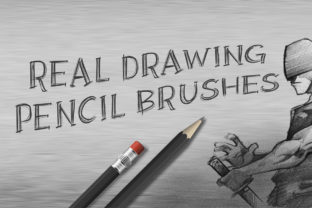
Digital art has evolved to a point where the distinction between traditional media and screen-based creation is increasingly blurred. For artists transitioning from paper to tablet, or for seasoned digital illustrators seeking more organic textures, the choice of tools is critical. Real Drawing Pencil Brushes represent a specific category of digital assets designed to replicate the tactile experience of graphite on paper within Adobe Photoshop. This set, comprising six distinct pencil variations, offers a focused solution for those prioritizing realistic sketching capabilities over stylized or painterly effects.
Understanding the Core Functionality
At its essence, this brush set is engineered to simulate the physical properties of graphite pencils. Unlike standard round hard brushes that produce uniform, flat lines, these tools utilize high-resolution textures and dynamic shape settings to mimic grain, pressure sensitivity, and tip wear. The set includes six specific grades: Mechanical HB, HB, B, 2B, 4B, and 6B. Each grade corresponds to a traditional pencil hardness, affecting both the darkness of the line and the texture of the stroke.
The technical specifications are notable for their fidelity. With a resolution of 300 DPI and dimensions of 5000x5000 pixels per brush tip, the assets are designed to remain crisp even when zoomed in closely or used for large-format printing. This high resolution ensures that the granular texture of the "graphite" does not pixelate, maintaining the illusion of a physical medium. The integration with pen pressure is central to their function; lighter touches yield faint, textured lines similar to a real pencil gliding lightly over toothy paper, while increased pressure darkens the stroke and expands the line width naturally.
Why Artists Choose Realistic Pencil Simulation
The decision to adopt Real Drawing Pencil Brushes often stems from a desire to retain the spontaneity and warmth of traditional sketching while leveraging the non-destructive workflow of digital software. Traditionalists who find digital lines too "sterile" or "vector-like" often seek these tools to reintroduce imperfection and organic variation into their work.
Furthermore, the ability to switch between hardness levels instantly without sharpening a physical tool or changing leads offers a significant efficiency boost. In a traditional setting, an artist might need multiple pencils on hand to achieve a range of values from light construction lines (Mechanical HB) to deep shadows (6B). In Photoshop, this transition happens with a single click or hotkey, allowing for a fluid creative process that combines the best of both worlds.
Evaluating the Benefits and Tradeoffs
When evaluating this specific set of six brushes, several benefits become apparent. The primary advantage is the immediate establishment of a realistic foundation. The inclusion of a full spectrum from HB to 6B allows for complete tonal control. The Mechanical HB is particularly useful for precise underdrawings and technical details, whereas the 6B provides the soft, smudgy quality required for expressive shading and atmospheric depth. The high DPI ensures that these textures hold up under scrutiny, making them suitable for professional illustration, concept art, and storyboarding.
However, there are tradeoffs to consider. High-resolution brushes with complex texture maps can be more demanding on system resources compared to simple algorithmic brushes. On older hardware or when working with extremely large canvases containing thousands of layers, users might experience slight latency. Additionally, while these brushes excel at simulation, they require a certain level of user skill. Unlike some "smart" brushes that automatically correct line wobble or apply perfect shading, realistic pencils expose the artist's hand movements. If the user lacks confidence in their manual dexterity or pressure control, the results may look messy rather than artistic. These tools amplify the artist's input rather than correcting it.
Ideal Use Cases and Scenarios
This set is a strong fit for specific workflows. Concept artists in the entertainment industry often rely on such tools for rapid iteration during the ideation phase. The ability to quickly block out forms with a 2B and refine edges with a Mechanical HB mirrors the traditional pipeline many studios still value. Similarly, illustrators creating children's books or editorial content that requires a hand-drawn aesthetic will find these brushes indispensable for achieving that storybook feel without the mess of actual graphite.
Educators and students learning digital art also benefit significantly. Because the behavior of these brushes closely mimics physical pencils, they serve as an excellent bridge for those accustomed to traditional media. The learning curve is reduced because the fundamental mechanics of value, hatching, and blending remain consistent with what they already know.
When to Consider Alternatives
While Real Drawing Pencil Brushes are powerful, they are not the universal solution for every digital artist. If your goal is to create clean, scalable vector-style graphics, comic book ink lines, or highly stylized anime art, these textured brushes may introduce unwanted noise. In such cases, simpler, hard-edged brushes or vector tools within Photoshop or Illustrator would be more appropriate.
Additionally, artists working primarily in oil painting, watercolor, or abstract expressionism styles may find the pencil simulation too restrictive. Those genres require brushes that simulate fluid dynamics, wet-on-wet mixing, or broad impasto strokes, which are outside the scope of a graphite-focused set. If your workflow demands heavy use of color blending and soft gradients right from the initial sketch, a soft airbrush or a specialized charcoal set might offer better versatility.
Making the Decision
Selecting the right digital tools ultimately depends on aligning the software's capabilities with your artistic goals. If your priority is to achieve a natural, hand-crafted look that retains the charm of traditional sketching, this set of six realistic pencil brushes offers a robust and high-quality solution. The inclusion of varied hardness levels and high-resolution textures provides the necessary range for professional-grade work.
Prospective users should assess their current hardware capabilities and their comfort level with pressure-sensitive drawing. If you possess a capable stylus and tablet setup and seek to enhance the organic quality of your Photoshop sketches, integrating these brushes can streamline your workflow and elevate the visual appeal of your drafts. However, if your style leans towards the graphic, the ultra-clean, or the purely painterly, you may find better value in tools designed specifically for those aesthetics. By understanding both the strengths and limitations of realistic simulation, you can make an informed choice that genuinely supports your creative vision.