Evaluating the Practical Value of 30 Paper Collage PS Stamp Brushes Vol.1 for Digital Creators
In the evolving landscape of digital design, the demand for assets that bridge the gap between analog texture and digital precision continues to grow. Designers, marketers, and content creators often find themselves searching for tools that can inject a sense of tactile reality into flat, screen-based compositions. One such resource that addresses this specific need is the 30 Paper Collage PS Stamp Brushes Vol.1. This collection offers a curated set of high-resolution stamp brushes designed specifically for Adobe Photoshop, catering to users ranging from CS2 to the latest CC versions. For professionals and serious hobbyists alike, understanding the utility of these brushes goes beyond mere aesthetic preference; it involves evaluating how they integrate into complex workflows, enhance visual storytelling, and provide long-term value in a competitive creative market.
The Intersection of Analog Texture and Digital Efficiency
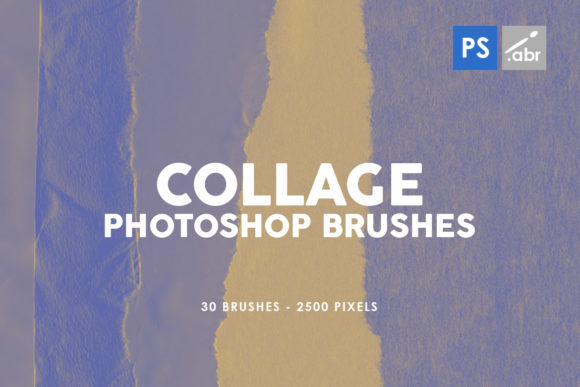
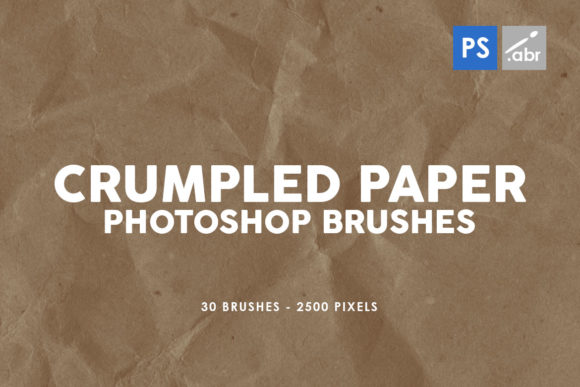
The core appeal of the 30 Paper Collage PS Stamp Brushes Vol.1 lies in its ability to replicate the unpredictable, organic nature of physical paper collage within a non-destructive digital environment. Traditional collage involves cutting, tearing, gluing, and layering physical materials—a process that is time-consuming and difficult to reverse. These digital stamps simulate that workflow by providing pre-rendered elements that carry the visual weight of torn edges, fiber textures, and layered paper depths.
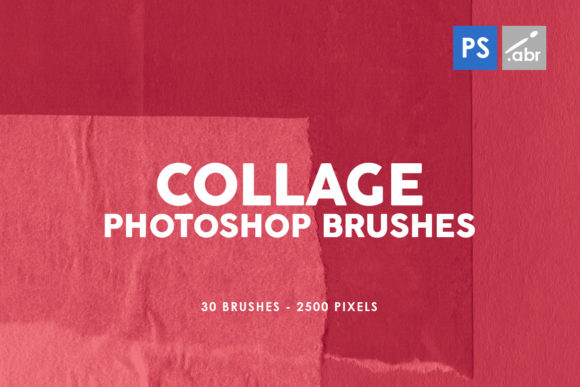
Each brush in this volume is rendered at a substantial 2500 pixels in size. This resolution is a critical technical specification. In professional print work or high-definition digital displays, low-resolution assets often pixelate or lose definition when scaled. A 2500-pixel base allows designers to apply these textures to large canvases, such as poster designs or wide-format web banners, without compromising image integrity. Furthermore, because they function as stamp brushes rather than pattern fills, they offer distinct, individual placements that prevent the repetitive tiling effects often seen in lower-quality texture packs. This distinction is vital for maintaining a unique look in commercial projects where brand identity relies on originality.
Versatility Across Professional Workflows
The practical application of these brushes extends far beyond simple decoration. For graphic designers creating marketing materials, the ability to quickly overlay a torn paper edge can soften the rigid geometry of vector logos or corporate typography, making the final output feel more approachable and human-centric. Similarly, digital photographers engaged in photo manipulation can use these stamps to create seamless composites. By masking a subject against a backdrop of collaged paper elements, a photographer can transform a standard portrait into a stylized editorial piece that suggests depth and narrative context.
In the realm of game development and concept art, these assets serve as excellent starting points for environmental textures or UI elements. A game interface designed with a paper collage aesthetic can evoke specific genres, such as mystery, noir, or indie storytelling. The visual effects achieved through these brushes allow artists to prototype ideas rapidly. Instead of spending hours scanning and cleaning up physical paper scraps, a developer can iterate through dozens of layout variations in minutes, testing different compositions to see what best serves the user experience.
Bloggers and social media managers also find significant value in this type of asset. In an era where feed aesthetics are crucial for engagement, using unique overlays helps content stand out against the sea of generic stock photography. Whether creating a thumbnail for a video tutorial or designing an infographic for an educational post, the organic irregularity of paper collage adds a layer of visual interest that captures attention more effectively than clean, sterile graphics.
Technical Performance and Usability Considerations
When evaluating any digital asset, compatibility and ease of use are paramount. The 30 Paper Collage PS Stamp Brushes Vol.1 is engineered for broad compatibility, supporting Photoshop versions from CS2 through current CC releases. This longevity ensures that freelancers working on older legacy systems or agencies utilizing the latest cloud-based suites can both leverage the tool without friction. The installation process is straightforward, typically involving loading the .abr file into the Brush preset manager, allowing users to integrate the tools into their existing workspace immediately.
However, effective use requires an understanding of blending modes and opacity settings. While the brushes come with inherent texture, their true potential is unlocked when combined with Photoshop's layer blending options. Setting a brush stamp to "Multiply" can deepen shadows and integrate the paper texture into a background, while "Screen" or "Overlay" can highlight fibers and create a worn, vintage effect. Professionals should note that while these are high-quality stamps, they are not smart objects; once stamped onto a raster layer, scaling them down significantly is fine, but scaling them up beyond their 2500-pixel origin may introduce softness. Therefore, best practices suggest stamping them at or near their intended size for optimal sharpness.
Who Benefits Most from This Collection?
This specific volume is particularly well-suited for educators creating engaging visual aids, publishers designing book covers or zines, and small business owners crafting DIY branding materials. For these groups, the balance between cost-effectiveness and professional output is essential. Purchasing a dedicated pack like this eliminates the need for expensive stock photography subscriptions or the time investment of creating textures from scratch.
Moreover, freelance illustrators who specialize in mixed-media styles will find these brushes indispensable for adding finishing touches to digital paintings. They provide a quick way to break up uniform color fields and introduce complexity to a composition. For entrepreneurs launching a new product line with an eco-friendly or artisanal brand identity, the paper collage aesthetic aligns perfectly with themes of sustainability and handcrafted quality.
Limitations and Realistic Expectations
While the 30 Paper Collage PS Stamp Brushes Vol.1 offers robust functionality, it is important to maintain realistic expectations. As a stamp set, it provides static shapes. Users looking for dynamic, procedural generation of paper tears might need to combine these stamps with custom masks or liquid filters to achieve more fluid variations. Additionally, because the set contains 30 distinct brushes, users working on massive campaigns may eventually need to supplement this pack with additional volumes to avoid visual repetition across hundreds of deliverables. It is a foundational tool, not an exhaustive library.
Furthermore, the effectiveness of these brushes depends heavily on the color grading and lighting of the host image. Dropping a high-contrast paper stamp onto a poorly lit photograph can result in a disjointed appearance. Successful integration requires the artist to match the color temperature and grain of the brush to the underlying image, ensuring the composite looks cohesive rather than pasted on.
Final Assessment on Long-Term Value
In conclusion, the 30 Paper Collage PS Stamp Brushes Vol.1 represents a pragmatic addition to a digital designer's toolkit. Its strength lies in the high resolution of the assets and the timeless appeal of the paper collage aesthetic, which resists trending in and out of fashion as quickly as other stylistic choices. For professionals seeking to enhance the tactile quality of their digital work without sacrificing workflow efficiency, this collection delivers consistent results. Whether used for subtle texturing in a corporate report or bold statement pieces in an artistic portfolio, these brushes provide the flexibility needed to adapt to diverse project requirements. By bridging the gap between the physical and digital worlds, they empower creators to produce work that feels grounded, authentic, and visually compelling.