Mastering Hand-Lettered Branding with Procreate Brushes
Digital lettering has shifted from a niche skill to a cornerstone of modern brand identity. Whether you are sketching a logo concept for a coffee shop, designing social media graphics for an influencer, or laying out a cookbook, the tools you choose dictate the personality of your final output. The Procreate Lettering Brushes collection represents a convergence of traditional ink feel and digital precision, offering a versatile toolkit that bridges the gap between rough sketches and polished commercial font quality. This isn't just about having more options; it is about having the right texture and weight to make your typography breathe.
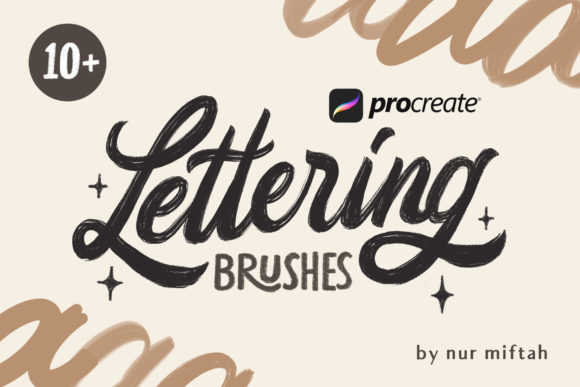
At its core, this brush set is designed to mimic the organic imperfections of real-world writing instruments while maintaining the editability required for professional web design and print projects. The visual characteristics range from dry, textured strokes that evoke vintage paper to smooth, high-contrast lines suitable for luxury packaging. What sets these brushes apart is their responsiveness to pressure and tilt, allowing a single stroke to transition from a hairline to a heavy downstroke naturally. This dynamic range gives your work a human touch that static vector shapes often lack, making it an essential asset for anyone looking to inject warmth into their editorial design or marketing materials.
The Versatility of Ten Distinct Brush Personalities
One of the most common pitfalls for designers starting with digital lettering is relying on a single "go-to" brush for every project. A signature style works well for personal branding, but it might clash with the playful tone needed for a children's book or the sleek authority required for a tech startup. This specific collection addresses that by bundling ten distinct brush types, effectively functioning as a complete typography studio in your pocket. You aren't just getting variations of the same tool; you are getting specialized instruments for specific tasks.
For those focused on structure and clarity, the Monoline Brushes are indispensable. These provide a consistent stroke width regardless of pressure, making them ideal for creating custom icons, technical diagrams, or modern sans serif-style lettering. They offer the clean geometry needed for logo design where scalability is paramount. On the other end of the spectrum, the Calligraphy Brushes introduce elegant contrast. With built-in angle restrictions and fluid ink flow, they replicate the behavior of nib pens, perfect for wedding invitations, certificates, or any project requiring a touch of formal sophistication.
Perhaps the most engaging tools in the set are the Textured Brushes. In a digital landscape saturated with flat colors, texture adds depth and tactile appeal. These brushes simulate the grain of charcoal, the bleed of watercolor, or the scratch of a ballpoint pen. When used in packaging design, this texture can communicate artisanal quality before the customer even touches the product. Meanwhile, the Signature Brushes allow for rapid, fluid scripting that feels personal and authentic, ideal for signing off on digital products or creating watermark-style logos. By combining these elements, the set allows you to move seamlessly between a rugged, hand-drawn aesthetic and a refined, polished look without switching apps or importing external assets.
Elevating Brand Perception Through Strategic Typography
Your choice of typeface—or in this case, your custom lettering style—does more than convey information; it sets the emotional tone for your audience. A jagged, textured script suggests creativity, rebellion, or handmade care, while a smooth, monolinear style implies efficiency, modernity, and trust. When you utilize Procreate Lettering Brushes effectively, you gain control over this psychological layer of communication. For entrepreneurs and small business owners, this means you can tailor your visual voice to match your brand values precisely, rather than settling for a generic premium font that everyone else is using.
Consider the impact on readability and visual hierarchy. In social media graphics, where attention spans are measured in seconds, a bold, textured headline created with these brushes can stop the scroll. However, legibility remains king. The beauty of working with these brushes in Procreate is the ability to adjust opacity, size, and spacing until the balance feels right. You can create a striking display header that grabs attention while ensuring the supporting text remains clear. This level of customization ensures that your creative font choices enhance rather than hinder the user experience, whether on a mobile screen or a large-format poster.
Consistency is another critical factor in building recognition. While these brushes offer variety, they share a cohesive DNA in terms of ink behavior and texture resolution. This allows you to create a family of styles that feel related even when they look different. You might use a calligraphic style for your main logo and a monoline variation for your subheads, creating a sophisticated font pairing within a single ecosystem. This internal consistency strengthens brand recall, making your content instantly recognizable across different platforms and mediums.
Practical Workflow for Designers and Makers
Integrating these tools into your workflow requires a shift from thinking like a typographer to thinking like an illustrator. Start by defining the mood of your project. Are you aiming for the reliability of a serif font or the approachability of a handwritten font? Sketch loosely first. One of the advantages of digital lettering is the ability to iterate quickly. Use the textured brushes to explore different weights and angles without committing to a final path. Once you have a direction, refine your strokes. Pay attention to the entry and exit points of your letters; these subtle details often distinguish amateur work from professional modern typography.
When preparing your lettering for commercial use, such as in a client's packaging design or a published book, consider the end medium early in the process. If the final output is print, ensure your canvas resolution is high enough to capture the fine grain of the textured brushes. For web use, you may need to simplify some of the finer details to ensure they render clearly on all devices. It is also wise to test your lettering against various backgrounds. A brush that pops on white might get lost on a busy photograph, requiring you to adjust the color or add a subtle drop shadow.
For those interested in font creation, these brushes serve as an excellent foundation. You can hand-letter a full alphabet, export the characters as SVGs or high-res PNGs, and import them into font-making software. This process allows you to create a truly unique typeface that carries your specific hand-writing quirks, something impossible to achieve with standard library fonts. Just remember to check licensing terms if you plan to sell the resulting font or use the brushes in items for resale. Most professional brush sets allow for commercial use in finished designs, but redistributing the brush files themselves is typically restricted.
Ultimately, the value of this collection lies in its ability to democratize high-quality lettering. You no longer need years of calligraphy training to produce work that looks like it was done by a master scribe, nor do you need expensive hardware to achieve rich textures. Whether you are a marketer trying to stand out in a crowded feed, a publisher looking for a unique chapter heading, or a hobbyist crafting gifts, these tools provide the flexibility to execute your vision. The key is experimentation. Mix the monoline with the textured, overlay the script with the block letters, and discover combinations that feel distinctly yours. In a world of templates, custom lettering remains one of the most powerful ways to assert your individuality and professionalism.