Evaluating the Procreate Lettering Brushes Pack for iPad Projects
Digital lettering on the iPad has become a standard practice for designers, hobbyists, and social media content creators. At the center of this workflow is the Procreate Lettering Brushes Pack, a collection of tools designed to replicate the feel of traditional media within a digital environment. For artists considering an upgrade to their toolkit or those new to digital calligraphy, understanding the specific capabilities, included assets, and installation requirements of this pack is essential for making an informed decision.
Overview of the Brush Collection
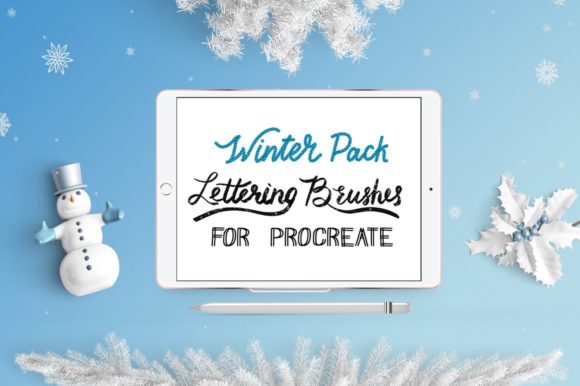
The core value of the Procreate Lettering Brushes Pack lies in its specialization. Unlike general-purpose brush sets that offer a wide variety of marks, this collection focuses specifically on brush lettering and texture. The pack includes 15 custom-designed brushes intended to mimic the behavior of favorite physical brush pens. These digital tools are engineered to provide variable stroke widths based on pressure and tilt, allowing users to create dynamic thick-and-thin lines characteristic of modern calligraphy.
Beyond the primary lettering tools, the package distinguishes itself by including significant bonus assets focused on texture. In digital art, flat colors can sometimes appear sterile. To counter this, the pack provides high-resolution texture files compatible with Procreate and other graphics programs. Specifically, users receive two watercolor texture JPGs with a resolution of 5000x5000 pixels. Additionally, there are three distinct chalkboard textures available in black, green, and brown, each rendered at a high resolution of 8000x5000 pixels. These assets allow artists to composite their lettering onto realistic backgrounds without needing to source external images.
Reasons to Consider This Pack
Artists often seek out specialized brush packs like the Procreate Lettering Brushes Pack to bridge the gap between analog and digital workflows. A primary reason for interest is the desire for efficiency. Creating custom brushes from scratch requires a deep understanding of Procreate's brush studio settings, including shape, grain, dynamics, and stabilization. By utilizing a pre-configured pack, users can bypass the technical setup phase and focus immediately on creative execution.
Furthermore, the inclusion of high-resolution textures addresses a common pain point in digital design: background integration. Many lettering artists struggle to make their work look organic. Having access to 8000-pixel wide chalkboard textures means that projects can be scaled for large-format prints or high-definition displays without losing detail. This makes the pack particularly appealing for those creating mockups, wedding invitations, or social media graphics where presentation is key.
Benefits and Practical Advantages
- Specialized Performance: The 15 lettering brushes are tuned specifically for script work, offering consistent flow and pressure sensitivity that generic brushes may lack.
- High-Resolution Assets: The bonus textures (watercolor and chalkboard) exceed standard screen resolutions, ensuring clarity in professional print applications.
- Versatility: While designed for Procreate, the texture JPGs are universal file formats, meaning they can be utilized in Adobe Photoshop, Illustrator, or Affinity Designer as well.
- Immediate Usability: The "drag-and-drop" or "Copy to Procreate" installation method allows for rapid deployment of tools onto the iPad.
Installation and Workflow Considerations
Adopting new digital tools requires a smooth installation process. The Procreate Lettering Brushes Pack utilizes a standard ZIP file distribution method. After checkout, the user downloads the ZIP file to a computer and unzips it. The transfer to the iPad Pro can be accomplished through several methods: iCloud Drive, Dropbox, or email attachments.
For users relying on iCloud Drive, the process involves dragging the brush folder directly into the iCloud directory. Once located on the iPad, tapping a .brush file triggers the "Copy to Procreate" action, instantly importing the tool. Alternatively, users can utilize the "Open in..." or "Export" functions via Dropbox or email to achieve the same result. It is important to note that while the process is straightforward, it does require a secondary device (a computer) for the initial unzip step unless the user is managing files directly on the iPad OS file system. Users who prefer entirely mobile workflows might find the need to transfer files from a computer a minor friction point, though it remains a standard industry practice for large asset packs.
Tradeoffs and Limitations
While the Procreate Lettering Brushes Pack offers robust features, it is not a one-size-fits-all solution. The primary limitation is its specificity. These brushes are optimized for lettering; they may not perform ideally for illustration, sketching, or painting broad landscapes. An artist looking for a comprehensive suite to handle all aspects of digital painting might find this pack too niche and may need to supplement it with broader toolsets.
Additionally, the reliance on texture overlays requires a certain level of compositing skill. Simply having a chalkboard texture does not automatically make lettering look realistic; the user must understand blending modes, opacity, and layer masking to integrate the text effectively with the provided backgrounds. Beginners expecting instant mastery may need to invest time in learning these accompanying techniques.
Ideal Use Cases vs. Alternatives
This pack is a strong fit for specific scenarios. It is highly recommended for:
- Social Media Content Creators: Those who need to produce high-quality, textured quotes or announcements quickly for platforms like Instagram or Pinterest.
- Wedding and Event Designers: Professionals creating digital invitations or signage who require the elegance of brush script combined with realistic paper or chalkboard effects.
- Hobbyists Transitioning to Digital: Traditional calligraphers moving to the iPad Pro who want tools that feel familiar to their physical brush pens.
However, alternatives may be worth considering for different goals. If a user's primary focus is character design or concept art, a general illustration brush set would provide more versatility. Similarly, if a designer already possesses a library of high-resolution textures, the bonus JPGs included in this pack may offer redundant value, and purchasing a brush-only set could be more cost-effective.
Making the Decision
Ultimately, the decision to acquire the Procreate Lettering Brushes Pack should depend on your current workflow gaps. If you struggle with the mechanical aspect of creating smooth brush strokes in Procreate, or if you frequently search for high-quality backgrounds to elevate your lettering compositions, this pack addresses those needs directly. The combination of specialized lettering tools and premium textures provides a cohesive ecosystem for creating polished projects.
Conversely, if you are already proficient in building custom brushes or have an extensive library of textures, the incremental benefit may be lower. Evaluate your current project requirements: do you need the specific aesthetic of chalkboard or watercolor textures? Do you require 15 distinct variations of brush lettering tools? If the answer is yes, this collection aligns well with professional and semi-professional goals on the iPad Pro. By focusing on quality over quantity, this pack serves as a targeted enhancement for digital lettering rather than a broad overhaul of an entire artistic toolkit.