14 Denim Texture Procreate Brushes for iPad Art
There is something undeniably classic about the look and feel of denim. It represents durability, casual style, and a timeless aesthetic that fits into almost any design project. For digital artists using the iPad, replicating that specific fabric grain and worn-in texture can be surprisingly difficult with standard tools. This is where a specialized set of 14 Denim Texture Procreate Brushes becomes an essential part of your creative toolkit. Whether you are illustrating fashion sketches, designing custom apparel mockups, or adding a rugged touch to your lettering, these brushes bridge the gap between digital convenience and organic realism.
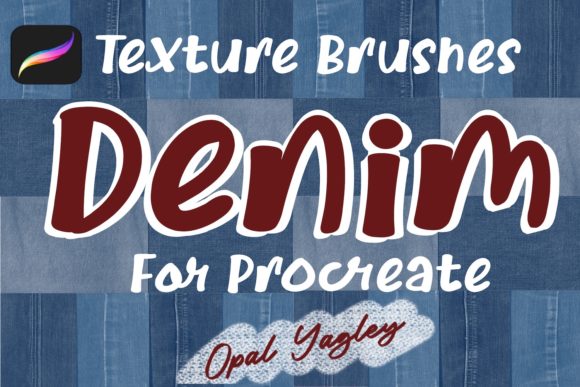
The collection, often titled "Welcome to my Denim World" by creator Opal Yagley, is designed to solve a very specific problem: how to make digital art feel tactile. When you work on a smooth glass screen, your artwork can sometimes look too clean or sterile. By integrating high-quality textile textures, you instantly add depth and character. This particular bundle includes 10 Denim Textures Brushes and 4 Denim Seams Texture Brushes, all conveniently packaged in a single file named Denim_Texture.brushset. Having both the fabric grain and the structural stitching elements in one place streamlines your workflow, allowing you to build complex denim visuals without switching between multiple apps or hunting for separate assets.
Why Digital Denim Matters for Creators
You might wonder why a freelancer, small business owner, or hobbyist would need such a specific tool. The answer lies in the growing demand for authentic visual storytelling. In the world of e-commerce and social media marketing, generic stock photos often fail to capture attention. Brands selling jeans, jackets, or denim accessories need product illustrations that look realistic enough to convey quality but stylized enough to stand out. Using 14 Denim Fabric Texture Procreate Brushes allows you to create these assets directly on your iPad, saving money on photography shoots and giving you total control over the lighting, color, and wear-and-tear details.
Beyond commercial use, these brushes are fantastic for personal projects. Imagine creating a digital scrapbook page with a vintage theme, designing a custom invitation with a casual vibe, or even lettering a quote where the letters themselves look like they are cut from old blue jeans. The versatility of these tools supports a wide range of goals, from professional portfolio pieces to fun weekend experiments. They help you achieve a "hand-crafted" look while maintaining the efficiency of digital editing.
Exploring the Brush Set Features
The core value of this collection is its division into two distinct but complementary categories. The 10 Denim Textures Brushes are your primary tools for covering surfaces. You can use them to paint large areas that mimic the weave of cotton twill, complete with subtle variations in thread density. These are perfect for coloring in shapes, filling backgrounds, or applying a wash of texture over an existing illustration. Because they are designed for Procreate, they respond to pressure and tilt, meaning a light stroke gives a faint, washed-out look, while pressing harder creates a dense, saturated fabric appearance.
The second component, the 4 Denim Seams Texture Brushes, adds the structural realism that makes denim recognizable. Denim isn't just about the blue cloth; it is defined by its heavy-duty stitching, double seams, and topstitching. These brushes allow you to draw realistic seams that follow the contours of your subject. Whether you are outlining a pocket on a pair of shorts or adding decorative stitching to a bag design, these brushes ensure the threads look raised and tangible rather than flat lines.
Both types of brushes are included in the single Denim_Texture.brushset file, making installation instant. Once downloaded to your iPad, you simply tap the file, and it imports directly into your Procreate brush library. There is no complex setup required, which is ideal for beginners who want to start creating immediately.
Practical Ways to Use These Brushes
One of the most powerful techniques for using these tools involves clipping masks. Instead of painting directly on your canvas, you can create a new layer above your line art or shape, apply the denim texture broadly, and then clip it to the layer below. This method confines the texture strictly to the boundaries of your drawing, alphabet, or logo. It is an incredibly non-destructive way to experiment. If you decide the denim is too dark or the pattern doesn't fit, you can erase or adjust the texture layer without ruining the underlying artwork.
Consider a scenario where you are a blogger creating a header image for a post about sustainable fashion. You could sketch a simple pair of jeans, fill them using the texture brushes, and add seam details to highlight the construction quality. Alternatively, an educator teaching graphic design could use these brushes to demonstrate how to simulate materials in a digital environment. Students learn not just how to draw, but how to think about surface properties like roughness and weave.
For entrepreneurs launching a clothing line, these brushes offer a cost-effective way to visualize prototypes. Before committing to manufacturing a sample, you can create a digital rendering that shows exactly how a specific wash or stitch pattern will look. This visual communication helps when discussing ideas with manufacturers or presenting concepts to investors.
Enhancing Your Workflow with Color Palettes
A crucial part of achieving a realistic denim look is getting the colors right. Denim is rarely just one shade of blue; it is a complex interplay of indigo, cyan, slate, and faded white highlights. To support this, the collection includes a 10 Blue Jeans Color Palette file, saved as Blue_Denim.swatches. This palette provides a curated selection of hues that work harmoniously together.
Using a dedicated palette saves you the time of trying to mix the perfect indigo from scratch. It ensures consistency across your project. If you are creating a series of illustrations, having a standardized set of denim colors helps maintain a cohesive brand identity. You can easily import these swatches into Procreate, allowing you to cycle through different denim washes—from deep raw indigo to light, acid-washed blues—with a single tap.
Things to Consider Before You Start
While these 14 Denim Texture Procreate Brushes are user-friendly, there are a few things to keep in mind to get the best results. First, understand that texture works best when layered. Don't rely on a single stamp or stroke to do all the work. Build up your texture gradually, varying the opacity and direction of your strokes to mimic the natural irregularity of fabric. Second, pay attention to the scale of your canvas. Textures that look great on a small icon might appear too coarse or pixelated on a large poster if the resolution settings aren't adjusted. Procreate allows you to tweak brush size and grain scale, so take a moment to calibrate the brushes to your specific document size.
Additionally, remember that context matters. While denim is versatile, it needs to fit the mood of your piece. Use the seams and heavy textures intentionally to guide the viewer's eye or emphasize certain parts of your composition. Overusing texture can sometimes clutter a design, so balance the rugged denim elements with cleaner, smoother areas to create visual contrast.
Ultimately, this collection by Opal Yagley is about empowering you to work with love and passion. It removes the technical barriers to creating realistic textile art, letting you focus on expression and design. Whether you are a seasoned professional looking to speed up your workflow or a beginner eager to explore digital painting, these tools provide a solid foundation for bringing your denim-inspired ideas to life. With the combination of versatile brushes, realistic seam options, and a tailored color palette, you have everything needed to turn your iPad into a powerful studio for fashion and textile illustration.