Integrating 40 Decorative Pattern Brushes into Professional Design Workflows
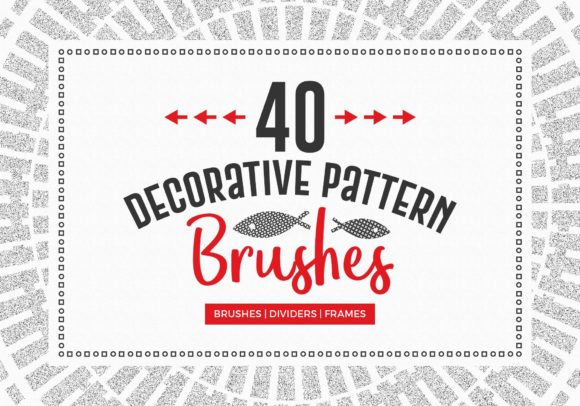
In the fast-paced environment of modern graphic design, efficiency is just as critical as creativity. Professionals ranging from freelance illustrators to marketing agency leads constantly seek assets that streamline production without compromising aesthetic quality. The 40 Decorative Pattern Brushes collection represents a strategic resource designed to fit seamlessly into these demanding workflows. Rather than serving as a mere library of static images, this comprehensive set functions as a dynamic toolkit for accelerating the creation of borders, frames, and ornamental details across various media formats.
Understanding where this asset pack fits within a broader creative process requires looking beyond the individual files. It is about integration. Whether you are finalizing a wedding invitation suite, designing packaging for a small business, or laying out a digital magazine, the preparation and execution phases benefit significantly from having pre-vetted, high-quality vector assets ready to deploy. This article explores how to effectively implement this specific collection of brushes and shapes into your daily operations, ensuring consistency, speed, and professional results.
Strategic Preparation and Asset Organization
Before diving into the actual design work, the initial phase of any project involving external assets must focus on organization and compatibility. The 40 Decorative Pattern Brushes ZIP folder is structured to support a variety of software environments, primarily Adobe Illustrator and Adobe Photoshop. Upon downloading the package, the first step in your workflow should be immediate extraction and systematic filing. Do not leave the files in your downloads folder; instead, create a dedicated directory within your primary asset library.
The package includes an .AI file containing the 40 decorative Illustrator brushes. This is your primary working file for vector-based projects. Load this directly into your Illustrator brush panel. By doing so, you transform abstract concepts into clickable tools that can be applied to any path with a single stroke. Simultaneously, the inclusion of .EPS files for lines, borders, shapes, square frames, and circle patterns ensures that you have fallback options or standalone elements if a brush stroke does not perfectly suit a specific layout requirement. For Photoshop users, the .CSH file allows for the immediate loading of 40 decorative lines and borders as custom shapes, bridging the gap between vector precision and raster-based composition.
Effective preparation also involves reviewing the "Bonus shapes" and the included image folder. These supplementary materials often contain variations or textured elements that can add depth to a flat design. Taking ten minutes to catalog these resources before a client deadline prevents the friction of searching for the right element mid-project. This proactive organization aligns with best practices for long-term asset management, ensuring that the investment in these tools yields returns across multiple future projects.
Implementation During the Creative Process
Once the assets are loaded, the real value of the 40 Decorative Pattern Brushes becomes apparent during the execution phase. In a typical design workflow, creating intricate borders or repetitive patterns from scratch is time-consuming and prone to inconsistency. This collection mitigates those risks by providing uniform stroke weights and cohesive stylistic themes.
Consider a scenario where a marketer is designing a series of social media graphics for a seasonal campaign. Using the brush tool in Illustrator, they can draw a simple rectangle or circle and instantly apply one of the 40 decorative strokes. The beauty of pattern brushes lies in their scalability; the pattern repeats seamlessly along the path regardless of the shape's size. This allows for rapid iteration. A designer can test five different border styles on a layout in the time it would traditionally take to draw one manually. This speed facilitates better decision-making, as more options can be presented to stakeholders without extending the project timeline.
For print projects, such as restaurant menus or event programs, the 9 Square frames vector files and 20 Circle patterns offer ready-made containers for text and imagery. Instead of building a frame from individual line segments, which can lead to alignment errors at the corners, these pre-constructed EPS files provide geometric perfection. They can be dropped into a layout, colored to match brand guidelines, and populated with content immediately. This approach ensures that the structural elements of the design maintain a high standard of quality control, freeing the designer to focus on typography and hierarchy.
Enhancing Consistency Across Deliverables
One of the most challenging aspects of managing large projects or multi-platform campaigns is maintaining visual consistency. When different team members work on various assets, slight variations in hand-drawn elements can dilute brand identity. By standardizing on the 40 Decorative Pattern Brushes, teams ensure that every border, divider, and frame shares the same line weight, curvature, and stylistic nuance.
This standardization is particularly useful for educators and publishers producing series of materials. For instance, a textbook publisher can use specific brushes from the set to denote sidebars, definitions, or chapter headers throughout hundreds of pages. Because the source files are vector-based (.AI and .EPS), they remain crisp at any resolution, whether viewed on a high-DPI tablet or printed on large-format press sheets. This reliability removes the guesswork from output specifications, a common pain point in pre-press workflows.
Interoperability and Cross-Platform Usage
Modern workflows rarely exist in a single application. A project might start in Illustrator, move to Photoshop for texturing, and end in InDesign for layout. The versatility of this collection supports such fluid movement between platforms. The .CSH file for Photoshop shapes is a critical component here. It allows raster artists to incorporate vector-perfect decorative elements without needing to switch contexts constantly. You can drag and drop these shapes onto a canvas, rasterize them if necessary for effects, or keep them as smart objects for non-destructive editing.
Furthermore, the EPS format acts as a universal translator. If you are using alternative vector software like CorelDRAW or Affinity Designer, EPS files are generally widely supported. This compatibility ensures that the utility of the 40 Decorative Pattern Brushes is not locked exclusively into the Adobe ecosystem, making it a viable resource for freelancers who utilize diverse toolsets based on client requirements or personal preference.
When integrating these assets with other resources, consider layering. The bonus shapes and image folder may contain textures or secondary elements that can be overlaid on the primary brush strokes to create a vintage or distressed look. This technique adds a layer of customization, preventing the designs from looking too "stock" or generic. By combining the clean lines of the vector brushes with subtle texture overlays, creators can achieve a bespoke aesthetic that feels tailored to the specific project goals.
Long-Term Value and Workflow Optimization
The true measure of a design asset is its longevity. While trend-driven elements often become obsolete quickly, classic decorative patterns tend to have a longer shelf life. The 40 Decorative Pattern Brushes are designed with timeless appeal, suitable for elegant, formal, and artistic applications. Investing time in mastering this set pays dividends over months and years.
To maximize long-term value, incorporate these brushes into your personal or agency templates. Create master files for invoices, letterheads, and presentation decks that already have these decorative elements configured. This reduces the setup time for recurring administrative tasks. Additionally, maintain a "swatch book" or PDF portfolio generated from the image folder to quickly reference available styles during client consultations. Being able to show physical or digital examples of potential border styles accelerates the approval process and helps clients visualize the final product more effectively.
Efficiency gains also extend to learning curves. For junior designers or hobbyists, this collection serves as an educational tool. By analyzing how the pattern brushes are constructed in the .AI file, less experienced users can learn about anchor points, tile construction, and vector logic. This dual function—as both a production asset and a learning resource—enhances the overall skill level of a creative team.
Final Thoughts on Integration
Incorporating the 40 Decorative Pattern Brushes into your workflow is not just about adding more clipart to your hard drive; it is about adopting a more streamlined, professional approach to design execution. From the initial organization of the ZIP folder to the final export of print-ready PDFs, every stage of the process benefits from the precision and variety this set offers. By leveraging the compatibility across Illustrator and Photoshop, utilizing the pre-made frames for structural integrity, and maintaining consistency through standardized assets, creators can elevate the quality of their output while reducing production time. In an industry where time is money and quality is reputation, such tools are indispensable components of a robust creative infrastructure.