Ill-INK Brushes: The Ultimate Vector Toolkit for Affinity Designer
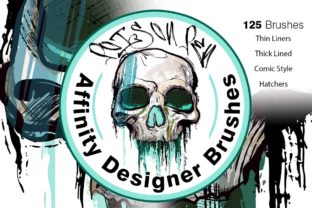
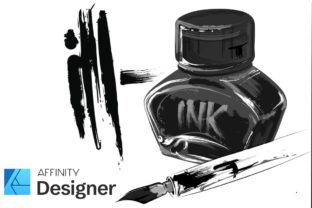
If you have spent any significant time wrestling with digital line art, you know the frustration of a stroke that looks too perfect. Digital tools often sanitize the creative process, stripping away the grit, texture, and organic imperfections that make hand-drawn work feel alive. This is where Ill-INK Brushes changes the workflow for Affinity Designer users. Unlike standard raster brushes that pixelate when scaled, this collection offers 50 fully vector-based brushes designed to maintain crisp edges at any size while delivering the soulful variation of traditional ink.
The personality of this brush pack is distinctively raw yet controlled. It bridges the gap between the chaotic energy of a sketchbook and the precision required for professional logo design or editorial design. Whether you are creating a gritty comic book panel or a polished social media graphic, the variety within the pack allows you to dictate the mood instantly. You aren't just drawing lines; you are injecting character into your vectors without sacrificing the scalability that modern web design and packaging design demand.
Breaking the Sterile Digital Aesthetic
The core appeal of Ill-INK Brushes lies in its ability to mimic the unpredictable nature of physical media. When working with standard vector tools, every curve can feel mathematical and rigid. This pack introduces a necessary element of chaos through specific categories like "Gritty" and "Smear strokes." These aren't just textured overlays; they are dynamic paths that react to your pressure and speed, creating long, sweeping strokes that taper naturally or rough, dry-brush effects that add immediate depth.
For illustrators and comic artists, the "Smooth liners" provide a reliable foundation for clean lineart, while the more experimental options allow for shading and tonal work that usually requires switching to a raster program. This unification of style within a single vector environment is a game-changer for efficiency. You can build a complex brand identity system where the logo, marketing materials, and website graphics all share a cohesive, hand-crafted aesthetic without ever leaving Affinity Designer.
The visual characteristics here lean heavily into the "ill-ustration" vibe suggested by the name. It feels personal, slightly rebellious, and undeniably human. In a market saturated with generic sans serif font choices and sterile geometric shapes, using these brushes helps your work stand out. They bring a tactile quality to digital screens, making social media graphics feel less like corporate ads and more like authentic content created by a real person.
Strategic Applications Across Media
While the immediate use case for Ill-INK Brushes might seem limited to illustration, its utility extends far beyond drawing characters. For entrepreneurs and small business owners, these assets are invaluable for crafting a unique voice. Imagine a coffee shop's packaging design featuring hand-lettered labels created with these gritty strokes, or a tech startup using the smoother liners to create approachable, friendly icons for their app interface.
In the realm of publishing, these brushes excel in editorial design. They can be used to create custom drop caps, section dividers, or hand-drawn annotations that guide the reader's eye through a layout. Because they are vectors, they print sharply on high-quality stock, ensuring that the "grit" doesn't turn into muddy noise on press. This makes them a viable option for everything from zines and independent comics to high-end marketing brochures.
Marketers and content creators will find particular value in the speed of execution. Instead of searching for the perfect stock image or spending hours refining a bezier curve, you can lay down a expressive stroke in seconds. This agility supports rapid prototyping for campaigns. Whether you are mocking up a t-shirt design for a merch line or creating a series of Instagram stories, the versatility of the 50 included brushes means you rarely need to look outside the pack for a different look.
Enhancing Readability and Brand Perception
It is important to distinguish that Ill-INK Brushes are not a premium font or a typeface in the traditional sense. They are drawing tools. However, they play a critical role in how text is perceived when used for custom lettering or logotypes. Hand-lettered logos created with these brushes convey authenticity and craftsmanship, traits that resonate deeply with modern consumers who value transparency and human connection.
When integrating these strokes into a project containing actual text, such as a display font headline or body copy, the contrast creates a powerful visual hierarchy. The organic irregularity of an Ill-INK border or background element makes the clean lines of a serif font or modern typography pop even more. This interplay prevents designs from feeling flat. It guides the audience's attention, ensuring that key messages are not lost in a sea of uniformity.
Consistency is key to professionalism. By sticking to a curated set of brushes like Ill-INK, you ensure that your visual language remains consistent across different touchpoints. A doodle on your website matches the texture of the icon on your business card. This repetition builds recognition. Over time, your audience begins to associate that specific stroke style with your brand, fostering a deeper level of engagement than generic clip art ever could.
Practical Guidance for Implementation
Getting the most out of Ill-INK Brushes requires a shift in mindset from "perfecting" to "expressing." Since these are vector tools exclusive to Affinity Designer, you have the freedom to edit the anchor points after the stroke is laid down. If a "Long Stroke" feels too wild, you can tame it without losing the texture. If a "Smear stroke" needs to be sharper, you can adjust the nodes. This post-draw flexibility is something physical ink cannot offer.
When evaluating project fit, consider the emotional tone you want to set. If the goal is corporate stability and rigidity, these brushes might be too expressive. However, for lifestyle brands, creative agencies, entertainment products, or personal blogs, they are ideal. Always test your brush strokes against your chosen font pairing. A heavy, gritty brush might overwhelm a delicate script font, whereas it could complement a bold, blocky commercial font beautifully.
Before committing to a final design, review the full range of the 50 brushes. Don't default to the first liner you try. Experiment with combining a smooth base layer with a gritty overlay to create custom textures. Remember that these are design assets meant to be manipulated. Scale them up for billboards or down for favicons; the vector nature ensures they remain sharp. Finally, always verify the licensing terms if you are using these for client work, though packs like this are typically cleared for both personal and commercial projects, giving you the freedom to monetize your creations.
Ultimately, Ill-INK Brushes serves as a bridge between the analog warmth of traditional inking and the digital efficiency required in today's fast-paced creative economy. It empowers designers, hobbyists, and business owners to produce work that feels made, not generated. By embracing the imperfections and variations inherent in this toolset, you elevate your visual communication from standard to standout.