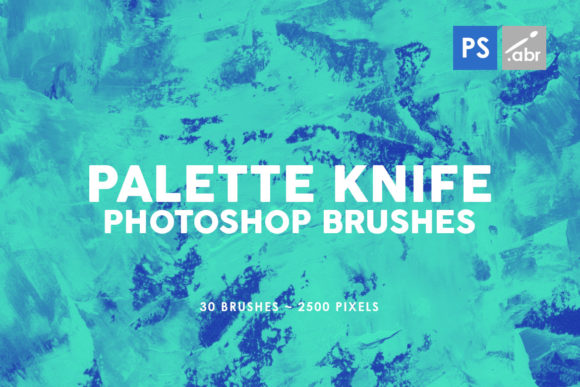
Elevate Art with 30 Palette Knife PS Stamp Brushes
In the fast-paced world of digital design, texture is often the difference between a flat, lifeless composition and a piece that demands attention. While vector graphics and clean lines have their place, there is an undeniable human element found in organic imperfections. This is where the 30 Palette Knife PS Stamp Brushes 3 collection becomes an indispensable tool for creators who refuse to settle for the generic. Designed for compatibility across Photoshop CS2 through CC, this set offers a bridge between traditional oil painting techniques and modern digital efficiency.
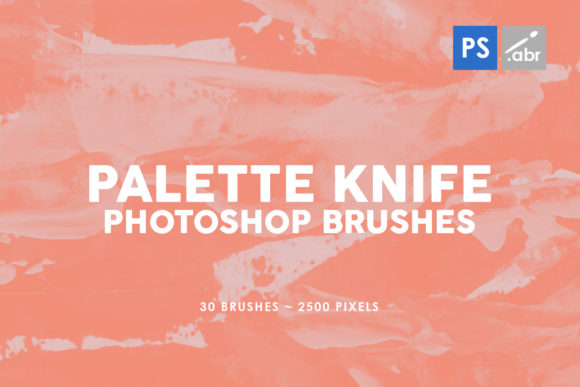
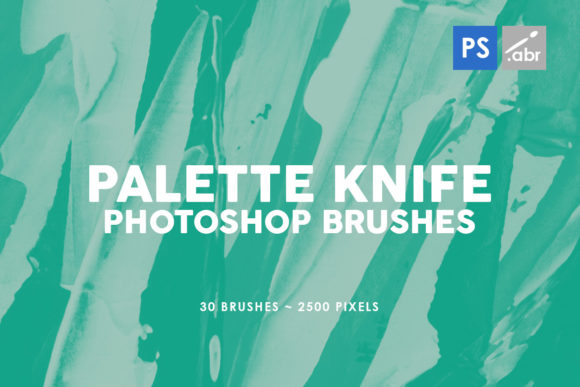
These aren't just simple strokes; they are high-resolution stamps captured at 2500 pixels, ensuring that every swipe retains crisp detail regardless of your canvas size. For professionals working on large-format prints or detailed concept art, resolution matters. A blurry texture can ruin hours of work, but these brushes maintain their integrity even when scaled. The collection captures the specific, rugged character of a palette knife—the thick impasto, the sharp edges, and the unpredictable blending that occurs when paint is pushed rather than brushed.
The Power of High-Resolution Texture
One of the most significant strengths of VOL. 3 - PALETTE KNIFE TEXTURE PHOTOSHOP STAMP BRUSHES is the sheer quality of the source images. Many free or low-cost brush sets suffer from pixelation when used beyond a certain size, forcing designers to tile patterns or accept a loss in fidelity. With a 2500-pixel base size, these brushes allow you to work on massive canvases without worrying about degradation. This level of detail is crucial for commercial projects where clients expect print-ready assets.
The "stamp" nature of these brushes means they apply a pre-defined shape with a single click or drag, mimicking the action of pressing a loaded knife onto a canvas. This is distinct from standard flow-based brushes that rely heavily on pressure sensitivity to build up color. Instead, these stamps provide immediate visual weight. They are perfect for laying down background foundations, creating dramatic foreground elements, or adding sudden bursts of texture to a smooth gradient. The variety within the 30-brush set ensures you aren't limited to one type of stroke; you get a range of angles, thicknesses, and paint consistencies.
Practical Applications Across Industries
The versatility of this toolset extends far beyond fine art replication. Here is how different professionals can leverage these brushes to enhance their workflow:
- Digital Photo Manipulation: Photographers often struggle to make composite images look cohesive. By applying these palette knife textures as overlays with blend modes like "Overlay," "Soft Light," or "Multiply," you can unify disparate elements. It adds a painterly finish that hides the digital seams of a montage, making a photo manipulation look like a unified piece of concept art.
- Game Development and Concept Art: Environment artists need to quickly block out terrains, rock formations, or atmospheric effects. These brushes excel at creating rocky surfaces, snowdrifts, or abstract magical effects. The organic shapes help break up repetitive patterns in texture maps, giving game assets a more hand-crafted feel.
- Branding and Marketing: In a sea of sleek, corporate minimalism, brands looking to appear artisanal or boutique can benefit from textured visuals. Use these stamps to create unique backgrounds for social media posts, email headers, or packaging designs. The tactile quality suggests craftsmanship, which can subtly influence consumer perception of product quality.
- Educational Content: Educators creating materials for art history or creative writing can use these brushes to illustrate concepts visually. They add an engaging, non-distracting aesthetic to slides and handouts that feels more inviting than standard clip art.
Enhancing Efficiency and Creative Flow
Time is the most valuable resource for any freelancer or agency. Creating custom texture maps from scratch or hunting for stock photos that perfectly match your lighting and perspective can take hours. The 30 Palette Knife PS Stamp Brushes 3 set streamlines this process. Because they are native Photoshop brushes, they integrate seamlessly into your existing layer workflows. You can adjust opacity, flow, and color dynamics instantly.
Consider the scenario of a book cover designer needing a dramatic, moody background for a thriller novel. Instead of spending an afternoon mixing colors and scanning real paint, they can select a few brushes from this volume, choose a dark palette, and establish a complex, textured backdrop in minutes. The ability to rotate and scale the stamps allows for endless variation, ensuring that no two projects look identical. This efficiency doesn't just save time; it keeps the creative momentum going, preventing the frustration that often leads to creative blocks.
Technical Considerations for Best Results
While these brushes are powerful, getting the most out of them requires a bit of know-how. Since they are stamp brushes, the angle of application matters. In Photoshop, you can map the brush angle to pen tilt if you are using a graphics tablet, which adds a layer of realism to the stroke direction. If you are using a mouse, manually rotating the brush tip between strokes can prevent the "stamped" look from becoming too repetitive.
Layer management is also key. Avoid applying these textures directly to your main image layer. Instead, work on separate layers set to various blend modes. This non-destructive approach allows you to mask out areas where the texture might obscure important details, such as a subject's face in a portrait or critical text in a layout. Experimenting with layer masks and clipping groups will help you control exactly where the "paint" appears, maintaining clarity while adding depth.
Furthermore, don't limit yourself to black and white or standard colors. These brushes shine when you sample colors directly from your artwork. Sampling a mid-tone shadow and painting with a lighter highlight using these stamps can create instant dimensionality. The high resolution ensures that even when you sample complex gradients, the edge definition remains sharp.
Why This Collection Stands Out
The market is flooded with digital brushes, yet many lack the specific utility found in VOL. 3 - PALETTE KNIFE TEXTURE PHOTOSHOP STAMP BRUSHES. The focus on the palette knife technique provides a specific aesthetic—bold, confident, and slightly chaotic—that is hard to replicate with standard round or square brushes. The inclusion of 30 distinct variations means you have a comprehensive toolkit for almost any textural need, from subtle grain to heavy impasto.
For entrepreneurs and business owners managing their own visual content, this set lowers the barrier to entry for high-quality design. You don't need to be a trained painter to achieve a painterly look; you just need the right tools. The compatibility with older versions like CS2 ensures that users with legacy hardware or software preferences aren't left behind, while full support for CC guarantees future-proofing for those on the latest subscriptions.
Ultimately, integrating these brushes into your library is an investment in the visual quality of your output. Whether you are refining a client's logo, designing a website hero image, or creating personal fine art, the addition of authentic texture elevates the viewer's experience. It invites them to look closer, to appreciate the nuances of the design, and to connect with the work on a more sensory level. In a digital age that often feels sterile, bringing back the touch of the artist's hand is more valuable than ever.